Approval and versioning for your tutorials
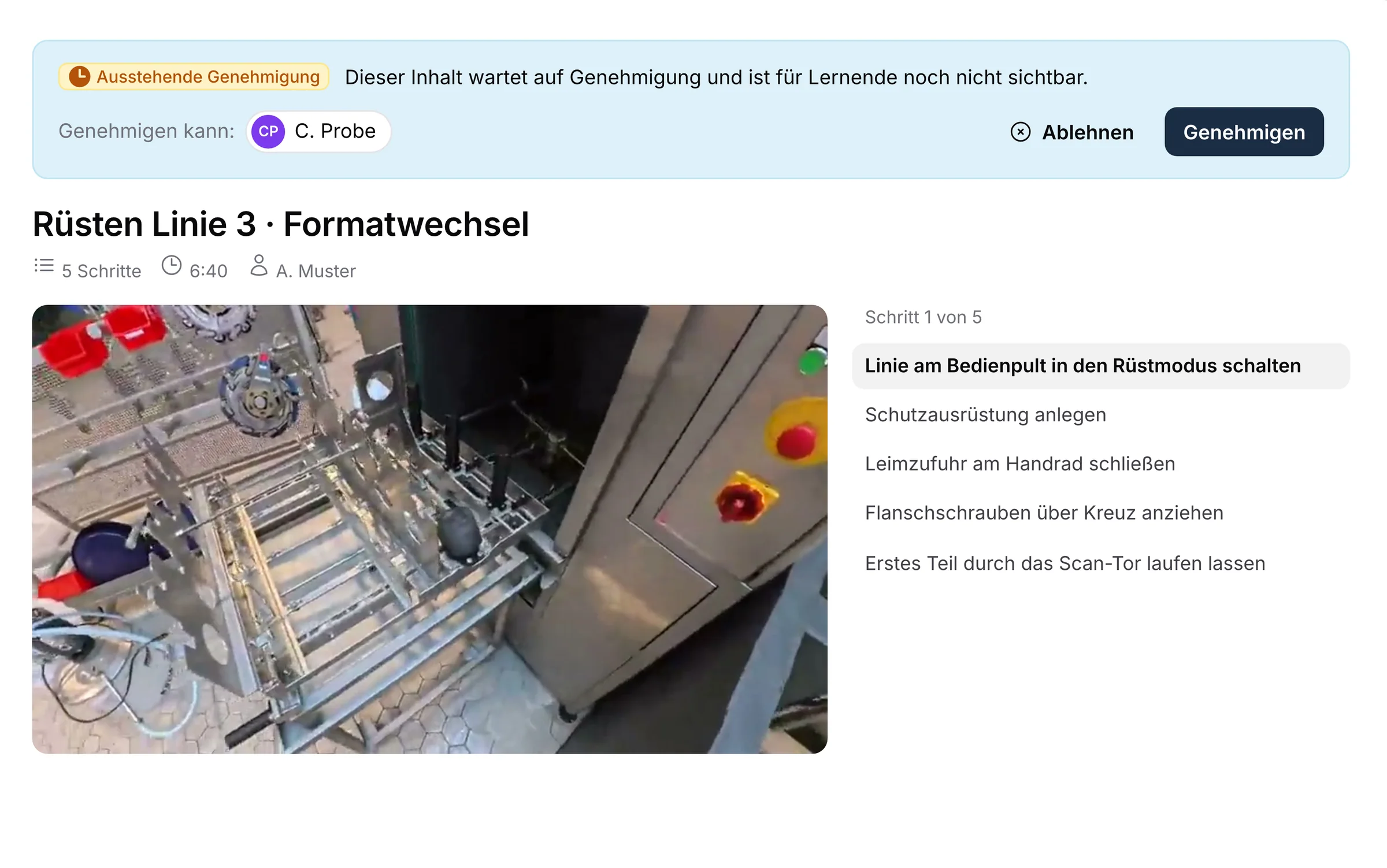
Nothing reaches the shop floor unchecked. Every new version goes through approval under your rules, and earlier versions are kept.
The essentials at a glance
Versioning
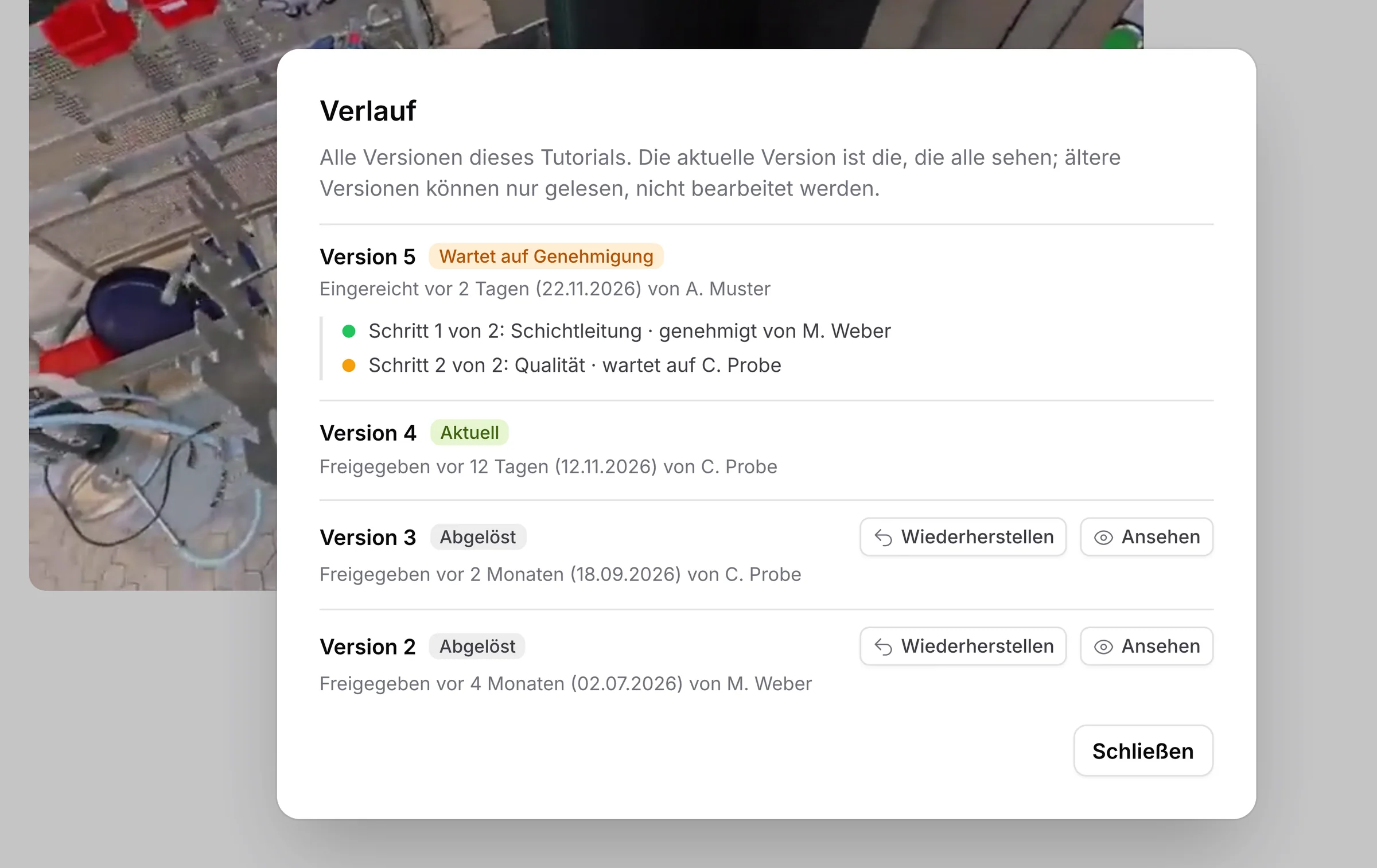
Every version is kept
You can prove who changed what and when, and who worked to which version.
Linked versions
Tutorials, courses and work instructions are linked to one another, and so are their versions.
Changes become a new version
Changing an approved tutorial creates a new version. It only reaches your people once it has been approved.
Approval
Stages and reviewers to suit you
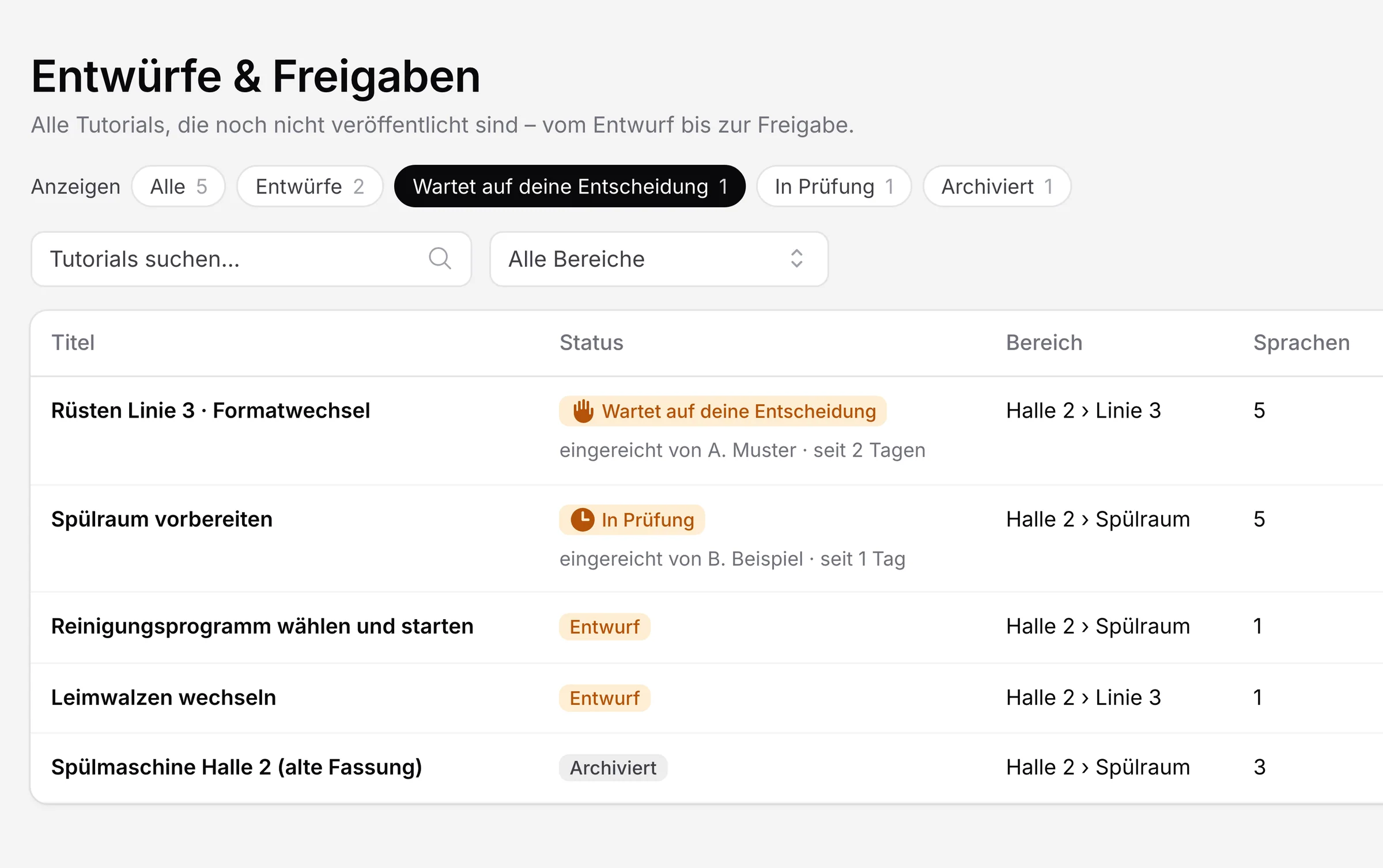
You decide which review stages a version goes through and who approves at each one. This applies to tutorials and courses.
The old version during a review
During a review, the approved version can stay in use. You can also withdraw it as soon as a new version is started.
Rejection with a comment
Whoever rejects a version adds a comment, and the person who submitted it gets that comment by email.
Common questions
How does approval work?
Through a multi-step process with the roles your operation defines: create, review, approve. Only then do your people see the version, and every earlier version stays on record.
Is what goes into the knowledge base reviewed?
Yes, always. Before new content made in Kraka is released, it is reviewed by the people your operation has given that task.
Does approval apply to courses too?
Yes. You set up an approval for courses as well. A course only reaches your people once it has been reviewed.
What do your people see during a review?
That is up to you. The approved version can stay visible until the new one is approved. Or you withdraw it as soon as a new version is started, even while that is still a draft.
Meets the requirements of your IT department.
SSO, MFA and role-based permissions. Faces and voices anonymised automatically on request.
All details under Legal & Security →- Hosted in GermanyHosting DE
- GDPR-compliant, DPA includedGDPR
- ISO/IEC 27001 certifiedISO/IEC 27001
- No AI training on your dataNo AI training
Book a consultation
30 minutes. Bring a recording or a document, and we'll show you live what Kraka makes of it.
What to expect
- Where you stand: We look at where knowledge gets lost in your plant or where onboarding takes too long.
- The way to the start: How the rollout works, what your IT needs for it and who on your side should take part.
- A clear answer: By the end, you know whether Kraka is worth it for your plant.