Connect SharePoint and OneDrive
The AI chat in Kraka finds what is already in SharePoint, OneDrive or Google Drive, so nobody has to create it again.
The essentials at a glance
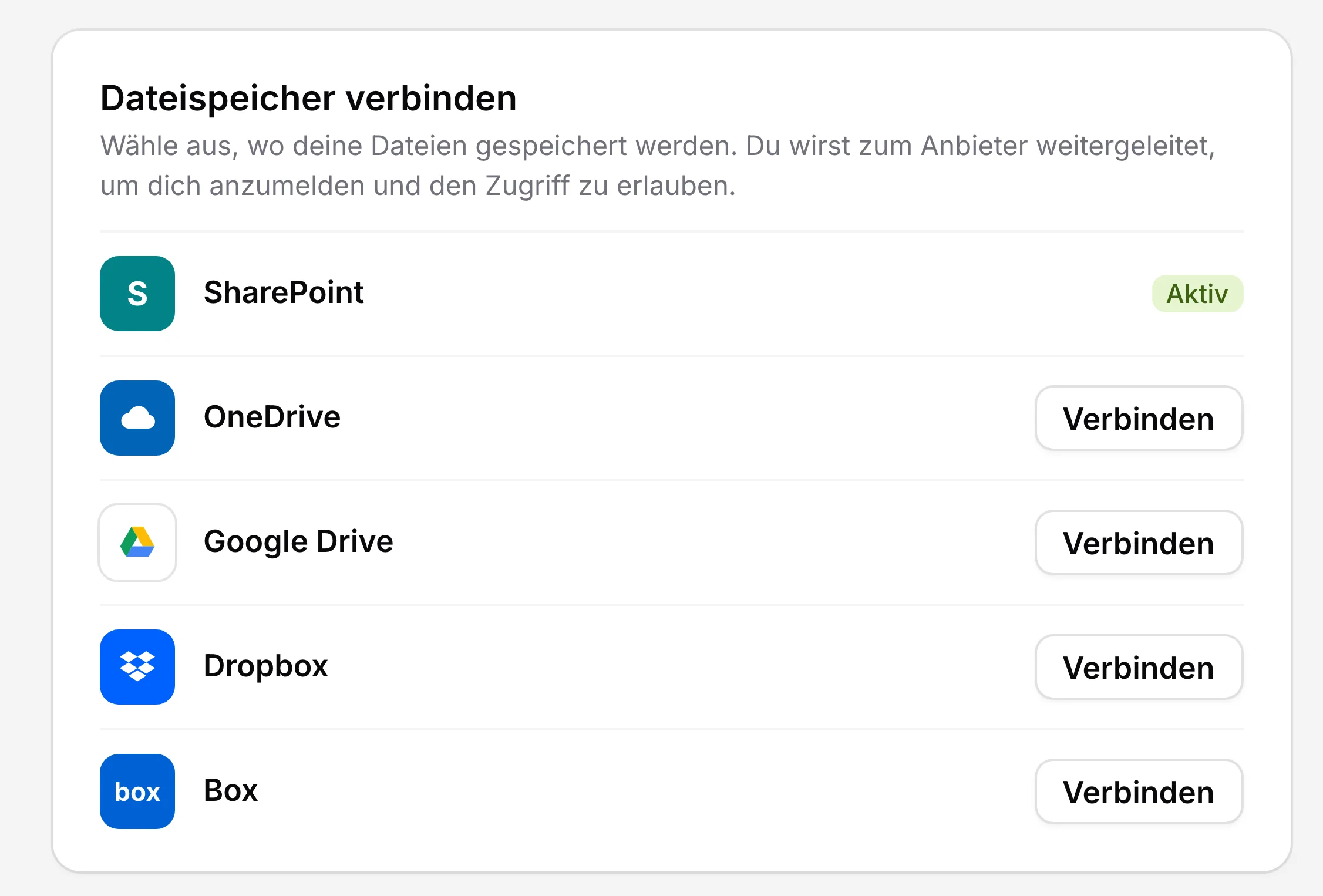
SharePoint, OneDrive and Google Drive
These three file storage services can be connected to Kraka. We connect further systems on a project basis.
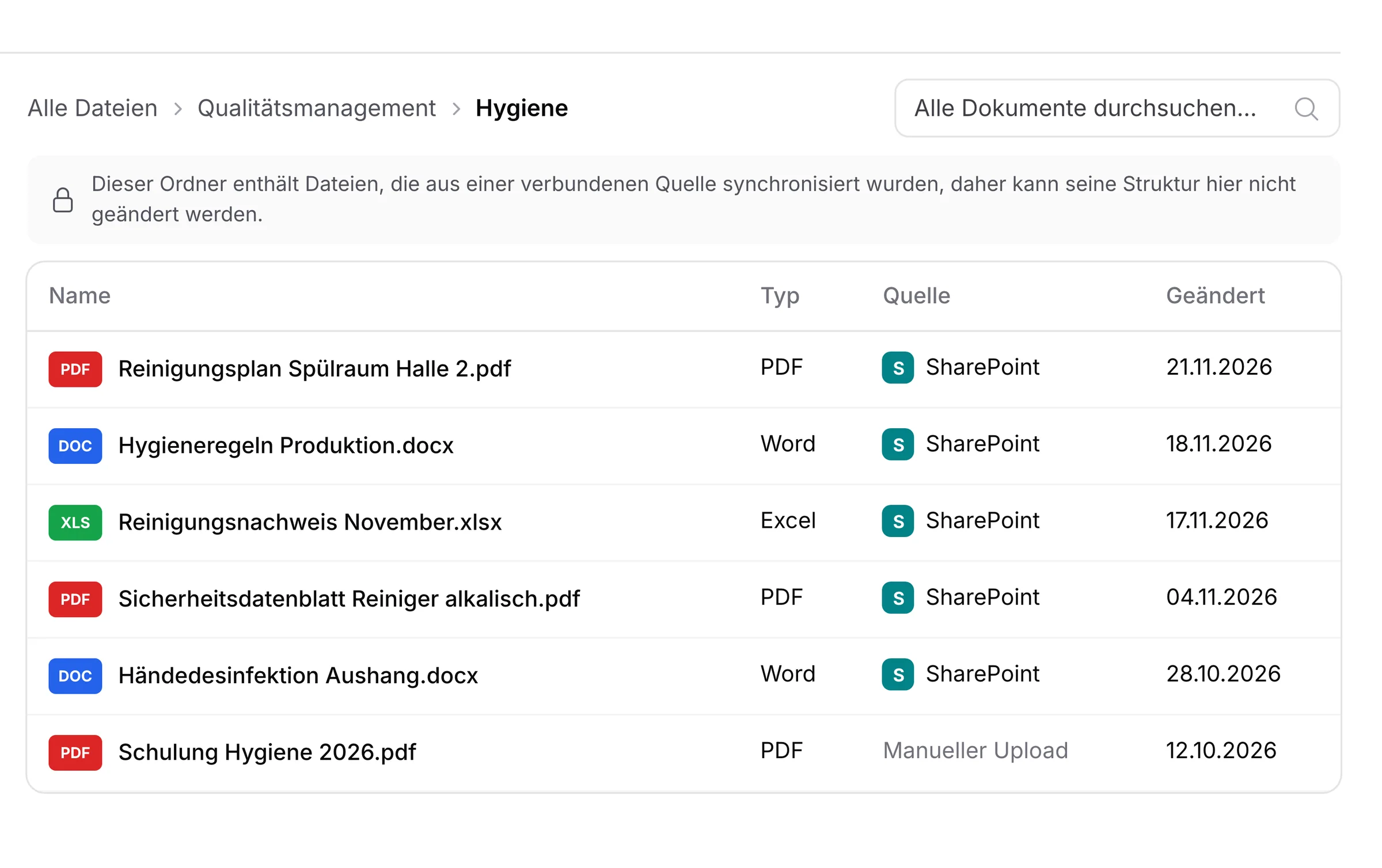
The documents stay where they are
Kraka works on top of your file storage and makes the documents searchable, so nothing has to be kept in two places.
Access rights carry over
The permissions from your file storage also apply in Kraka. Your people only find what they are allowed to see.
In the AI chat, with the source
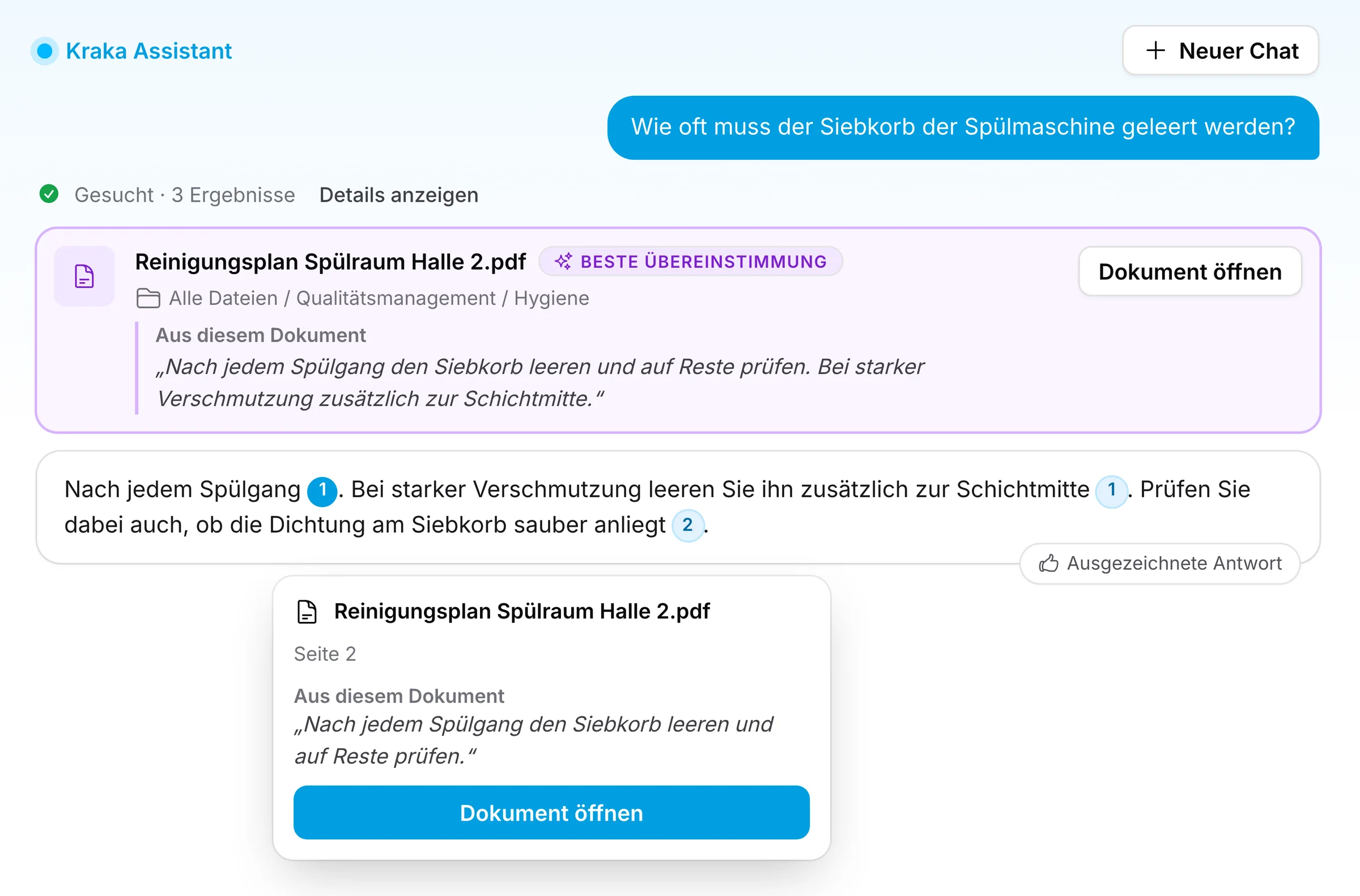
The AI chat also searches the connected documents. Every answer names the document it comes from.
More on the AI chat at the workstationA source for new tutorials
A connected document can be the basis for a tutorial or a work instruction.
Common questions
Do we have to move our documents?
No. Existing file storage such as SharePoint, OneDrive or Google Drive is connected. The documents stay where they are and are still maintained there. You can also upload individual files directly.
Which systems can be connected?
Besides SharePoint, OneDrive and Google Drive, we connect further systems on a project basis. Content made in Kraka is included too: tutorials, training and work instructions are automatically part of the knowledge base.
Can everyone see everything?
No. Detailed permissions in Kraka control who sees what. You decide which areas, roles and sites can access which content, and the chat only answers from what the person asking is allowed to see.
More features to integrate
- SCORM export for your existing LMSA course from Kraka runs as a SCORM package in your existing learning management system. Completion and score are recorded there.
- Single sign-on (SSO) with company accountsYour people sign in to Kraka with their company account. You set it up and test it before it applies to everyone.
Meets the requirements of your IT department.
SSO, MFA and role-based permissions. Faces and voices anonymised automatically on request.
All details under Legal & Security →- Hosted in GermanyHosting DE
- GDPR-compliant, DPA includedGDPR
- ISO/IEC 27001 certifiedISO/IEC 27001
- No AI training on your dataNo AI training
Book a consultation
30 minutes. Bring a recording or a document, and we'll show you live what Kraka makes of it.
What to expect
- Where you stand: We look at where knowledge gets lost in your plant or where onboarding takes too long.
- The way to the start: How the rollout works, what your IT needs for it and who on your side should take part.
- A clear answer: By the end, you know whether Kraka is worth it for your plant.