Multilingual training with voice-over
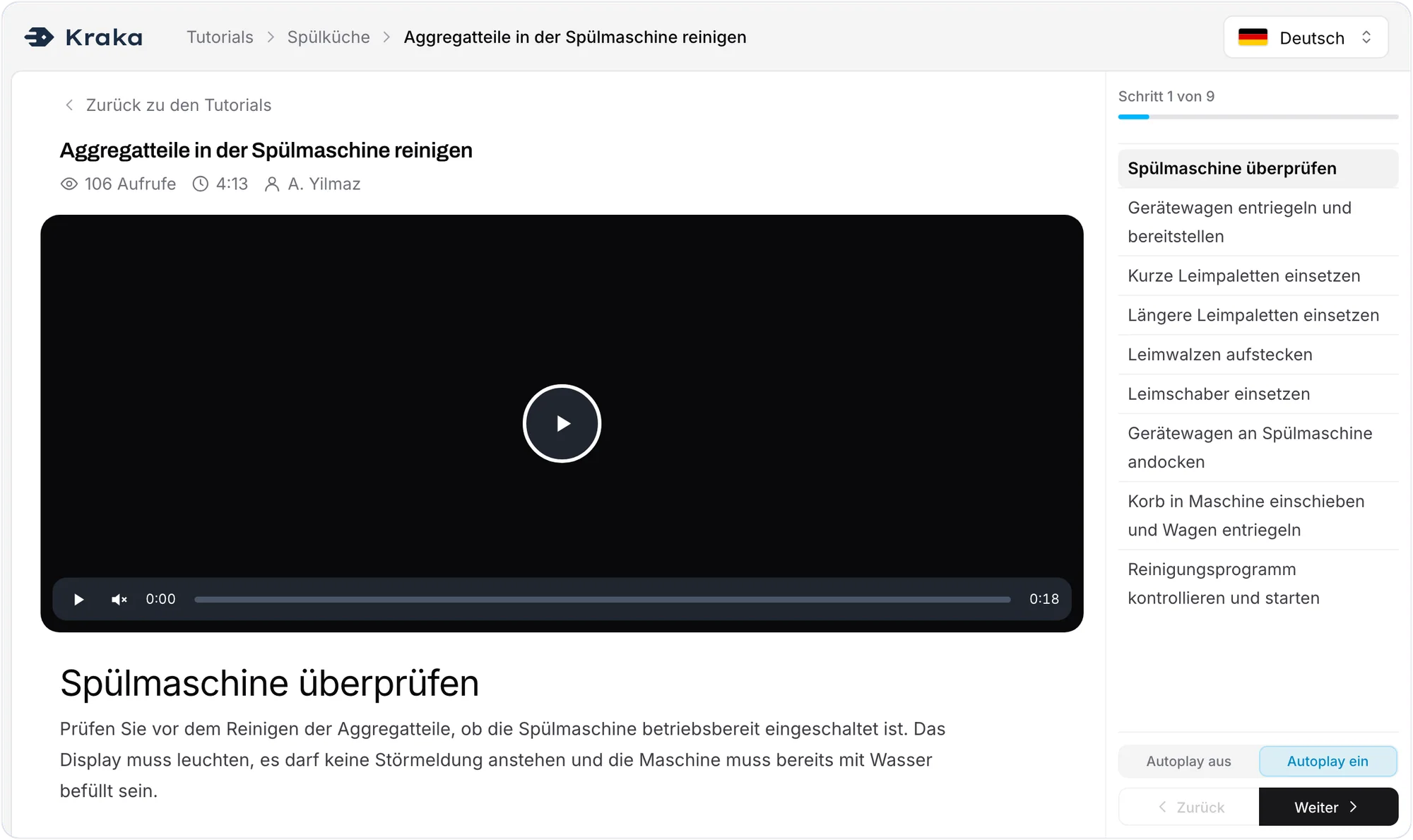
Tutorials can be translated and voiced in over 35 languages. Whoever runs the machine understands the instruction, however good their German is.
The essentials at a glance
Languages
Over 35 languages
You choose which of them a tutorial is translated into.
Translated with the tutorial
Translation, subtitles and voice-over are created with the tutorial, without a separate order.
Corrections in every language
Corrections to the original carry through to every language. You can also correct any single language by hand.
Technical terms in the glossary
In the glossary you set how your technical terms are translated and pronounced in each language.
More on the glossary
Voice-over
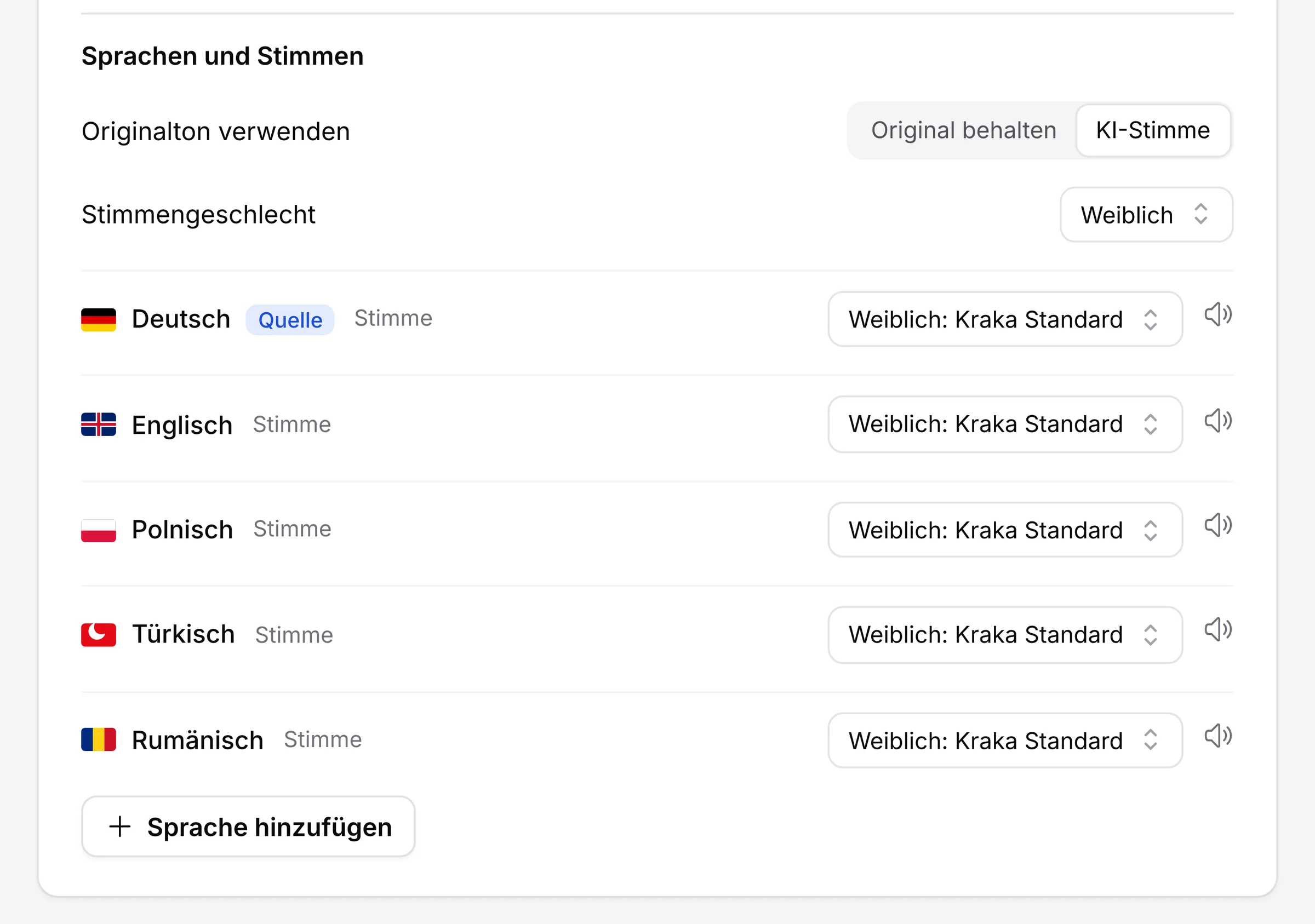
A voice for each language
The voice-over uses synthetic voices, and you choose which voice speaks each language. The original voice can be switched back on at any time.
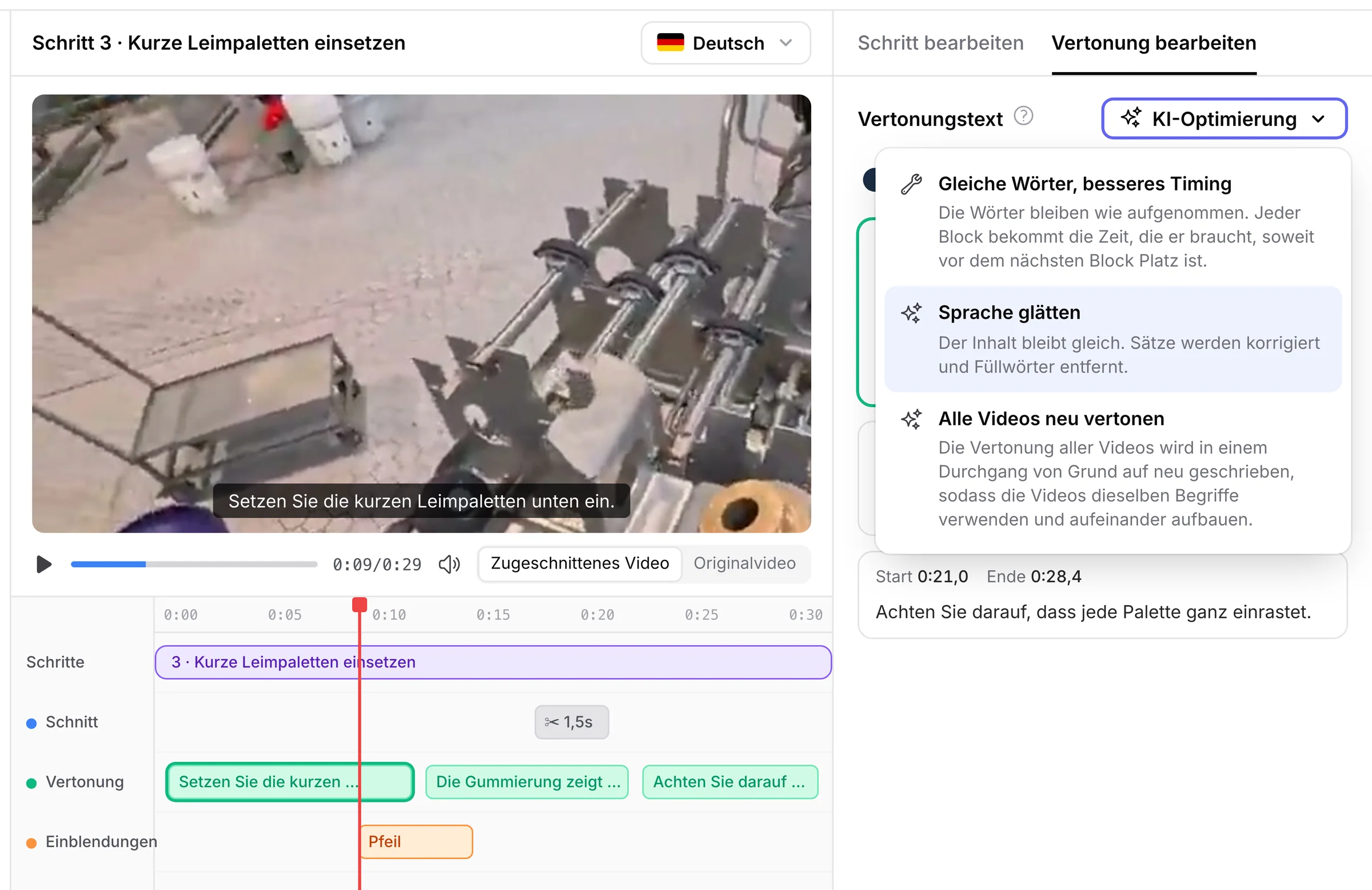
Smooth the wording
"Smooth the wording" tidies up the words and sentences of the spoken explanation. It also removes background noise from the sound.
Rewrite the voiceover
Kraka writes a voice-over from what the video shows and from an attached work instruction. This also works for a video in which nobody speaks.
A cloned voice on request
If you ask for it, the voice-over can use a cloned voice. Otherwise it uses the synthetic voices.
Results from customer projects
- 45%faster onboarding
 Read the Tress Brüder case study
Common questions
Which languages are available?
Over 35 languages, including Polish, Turkish, Romanian, Ukrainian, Bulgarian, Hungarian, Czech, Croatian, Italian, Spanish, English, Arabic and more.
Are there subtitles or a voice-over?
Both. Every language gets subtitles and a voice-over with a synthetic voice. You can switch to the original voice at any time.
Can we correct a translation ourselves?
Yes. You can edit the translation by hand in any language. If you change the original, the correction carries through to every language.
Can we add a language later?
Yes, even to a finished tutorial. Kraka then translates and voices it in the new language.
What if nobody speaks in the video?
Then Kraka writes a voice-over from what the video shows, using "Rewrite the voiceover". If a work instruction is attached to the tutorial, Kraka draws on it as well.
Meets the requirements of your IT department.
SSO, MFA and role-based permissions. Faces and voices anonymised automatically on request.
All details under Legal & Security →- Hosted in GermanyHosting DE
- GDPR-compliant, DPA includedGDPR
- ISO/IEC 27001 certifiedISO/IEC 27001
- No AI training on your dataNo AI training
Book a consultation
30 minutes. Bring a recording or a document, and we'll show you live what Kraka makes of it.
What to expect
- Where you stand: We look at where knowledge gets lost in your plant or where onboarding takes too long.
- The way to the start: How the rollout works, what your IT needs for it and who on your side should take part.
- A clear answer: By the end, you know whether Kraka is worth it for your plant.