A glossary for your technical terms
You decide what your machines and technical terms are called and how they are pronounced. Kraka keeps to that in every translation and voice-over.
The essentials at a glance
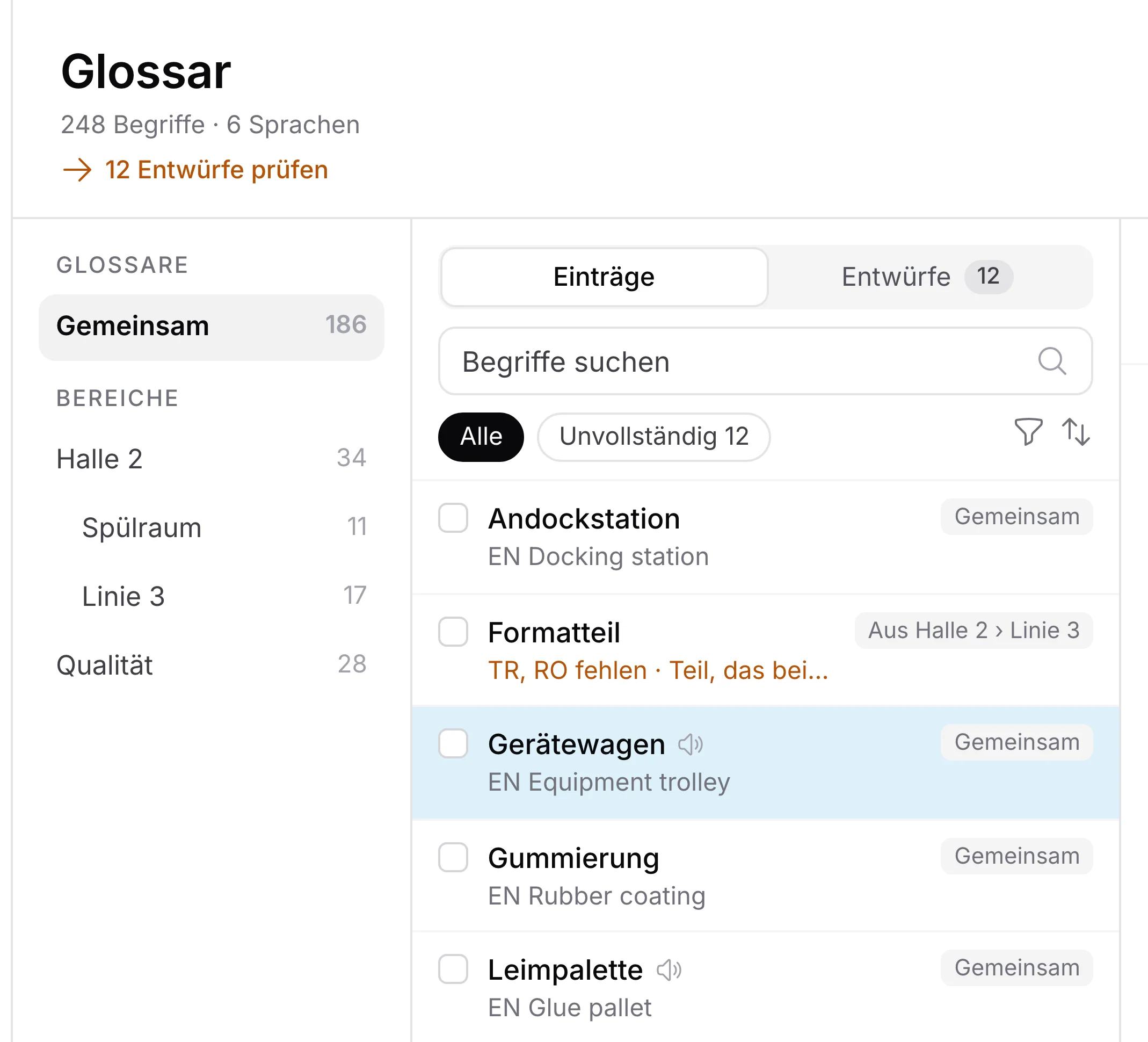
One glossary, and one per area
Machine names, technical terms and abbreviations sit in one glossary for the whole operation. Each area can keep its own glossary as well.
Used whenever Kraka creates content
Kraka reads the glossary when it transcribes a recording and when it translates or voices a tutorial.
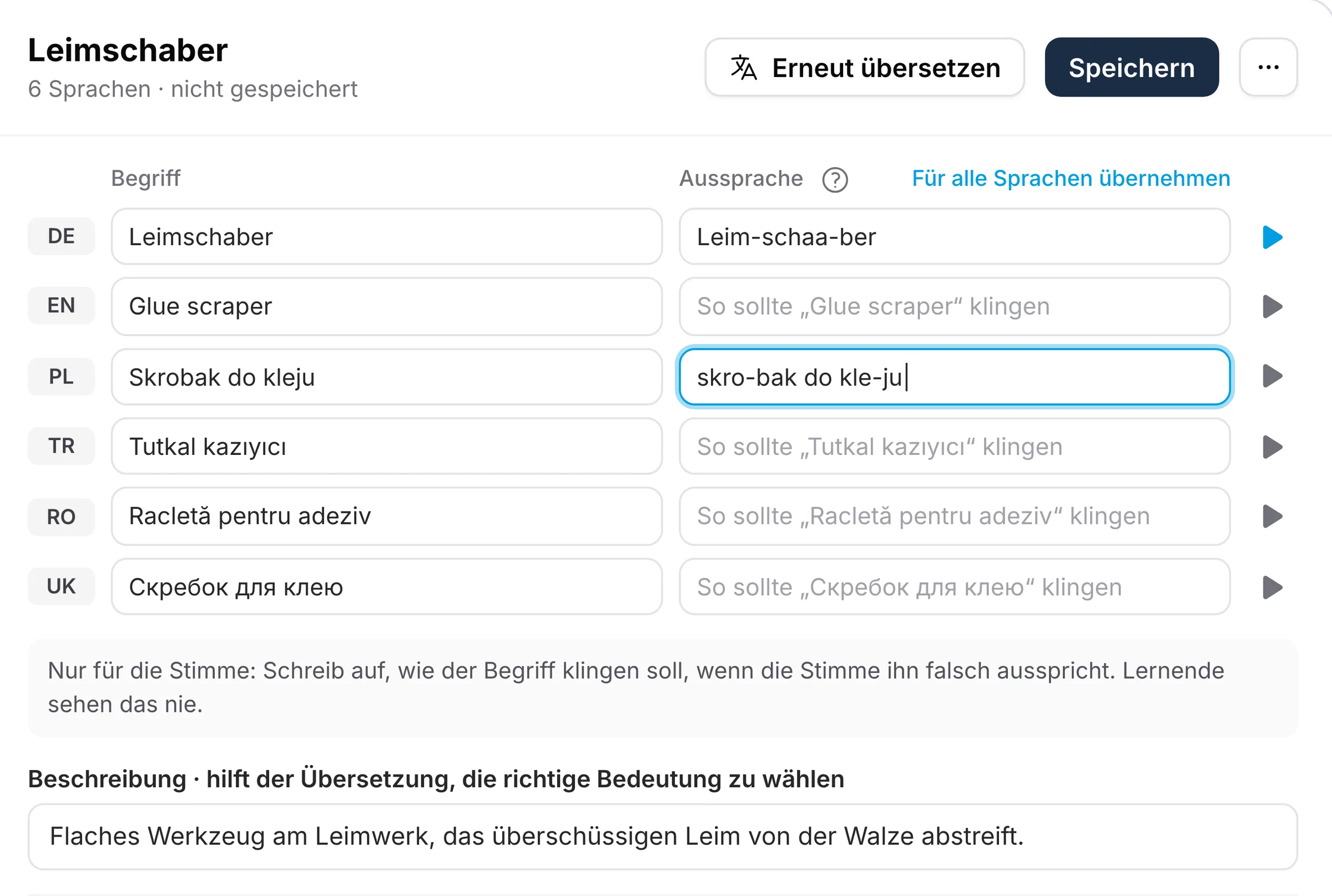
How each language says a term
For each language you set how a term is translated and how the voice-over pronounces it.
Terms from a scan or a CSV file
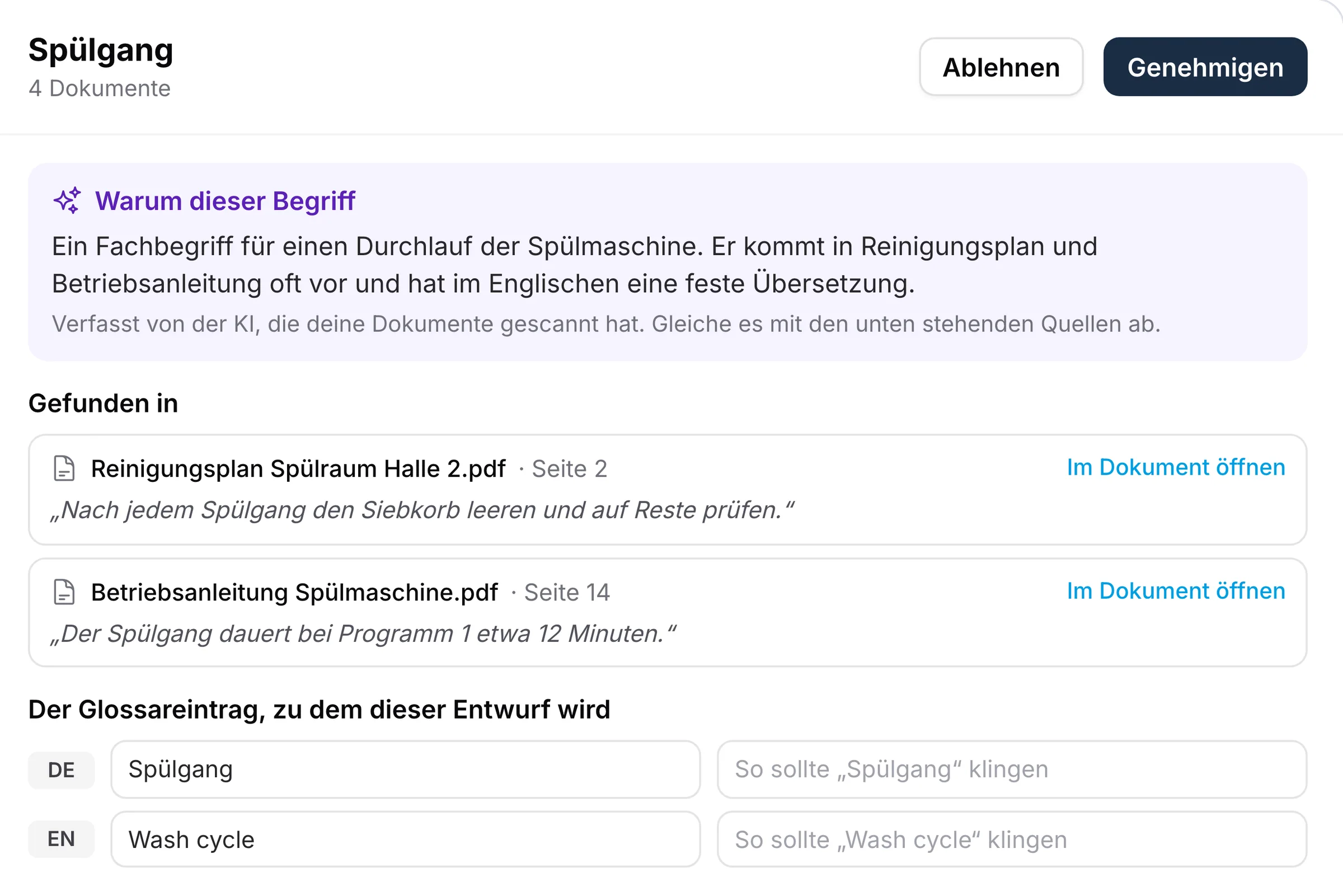
A scan of your documents proposes entries, which you review before they apply. Terms can also be imported from a CSV file. Every change is logged.
Replace a term in a tutorial
The assistant replaces a term in every step and language of a tutorial. The change becomes a new version that waits for your approval.
More on approval and versioning
Common questions
What goes into the glossary?
Anything that has a fixed name in your operation: machines and equipment, technical terms and abbreviations. An entry can also note which words it replaces.
Do we have to enter every term by hand?
No. A scan of your documents proposes entries, and terms can be imported from a CSV file. Proposed entries only apply once someone has reviewed them.
What does Kraka use the glossary for?
When it transcribes, Kraka recognises your terms in the recording. When it translates or adds a voice-over, it uses the translation and pronunciation you have set.
Can an area have its own terms?
Yes. Besides the glossary for the whole operation, each area can keep its own, for example a line with its own machine names.
Meets the requirements of your IT department.
SSO, MFA and role-based permissions. Faces and voices anonymised automatically on request.
All details under Legal & Security →- Hosted in GermanyHosting DE
- GDPR-compliant, DPA includedGDPR
- ISO/IEC 27001 certifiedISO/IEC 27001
- No AI training on your dataNo AI training
Book a consultation
30 minutes. Bring a recording or a document, and we'll show you live what Kraka makes of it.
What to expect
- Where you stand: We look at where knowledge gets lost in your plant or where onboarding takes too long.
- The way to the start: How the rollout works, what your IT needs for it and who on your side should take part.
- A clear answer: By the end, you know whether Kraka is worth it for your plant.